AudioSol
Coming Soon | PC-Based Audiometer
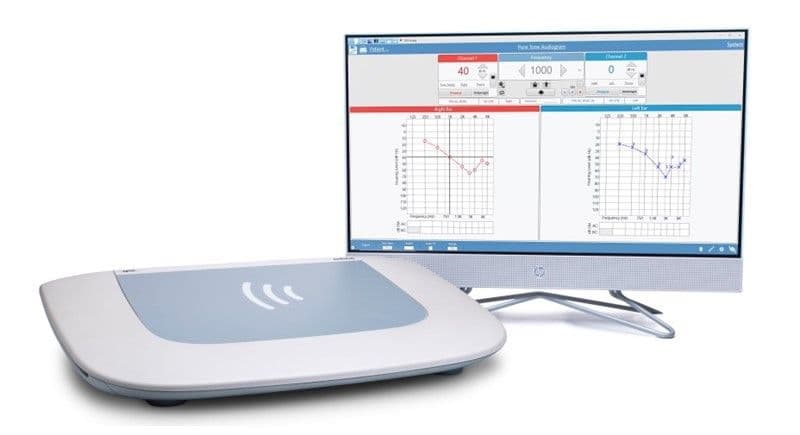
The GSI AudioSol™ is a clinical two-channel audiometer, combining GSI’s gold standard of accuracy and efficiency with the convenience of PC-based operation. This versatile audiometer allows clinicians to maintain high clinical standards in a format that fits their preferences. Inspired by our design philosophy of familiar and intuitive navigation, the AudioSol provides a seamless workflow powered through GSI Acuity™ software.
Request Quote
We will connect you with your local distributor, who will be able to provide you with the most accurate pricing information and answer any further questions that you may have.
Frequently Asked Questions
What is included with the AudioSol?
It includes the GSI Acuity software, AudioSol, transducers, patient response button, mic-monitor headset, talk back microphone, and other accessories.
What tests can I perform with the AudioSol?
The AudioSol allows for testing patients of all ages for pure tone and speech audiometry. It includes over 150 recorded word lists as well as the QuickSIN, BKB-SIN, and ACT™ Test. All examination types may be performed including pediatric, CAPD, and CI evaluations.
Is GSI Acuity compatible with GSI Suite and Noah?
Yes. GSI Suite is a certified Noah module. GSI Acuity can be launched within GSI Suite so all test results are saved in GSI Suite and Noah.
Do I need GSI Suite if I have GSI Acuity?
No, you can use GSI Acuity as a standalone program. It is important to note that GSI Suite is needed if you are using Noah. It may also be used for reporting audiometric results, customizing report templates, or for combined reports with all audiometric test data including tympanometry, acoustic reflexes, OAE, and otoscopy.
Can the AudioSol be used for teleaudiology?
Yes, it is ideal for Synchronous or real-time teleaudiology. It may also be used for Asynchronous or Store and Forward as well.
Pediatric-Friendly
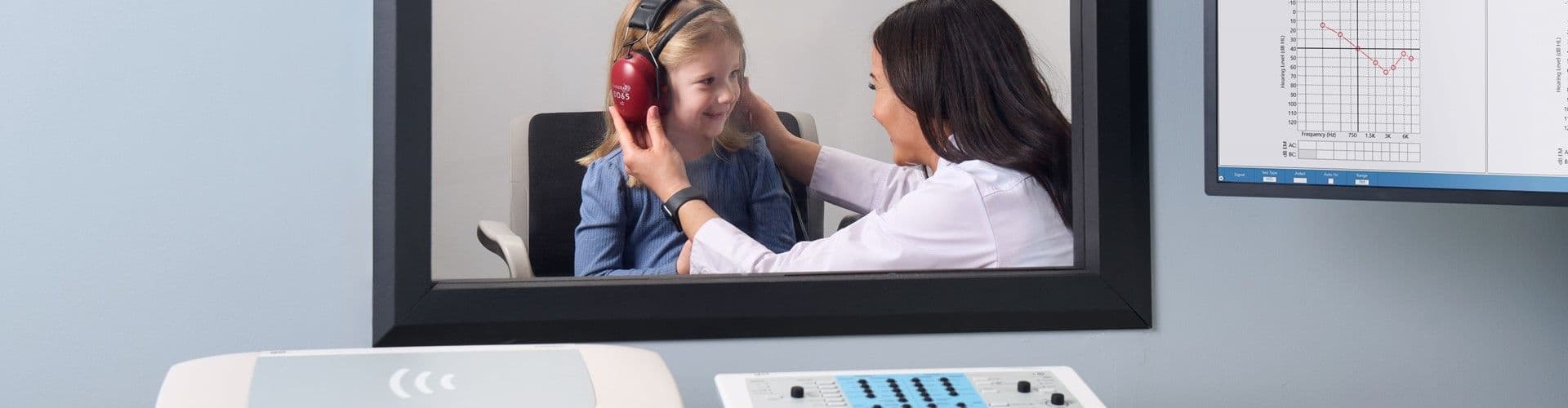
Pediatric noise calibrated in dBHL, direct VRA activation for up to 5 reinforcers, pediatric word lists and remote keyboard shortcuts are necessary tools for pediatric audiologists. Quickly navigate between signal types.
Product Specifications
DIMENSIONS AND WEIGHT
• W x D x H: 20.1 in x 14.6 in x 4 in (51 cm x 37 cm x 10.2 cm)
• Weight: 11.9 lb (5.4 kg)
• Shipping Weight: 21.9 lb (9.9 kg)
COMMUNICATIONS AND MONITORING
• Talk Forward: Permits the tester to speak through the examiner microphone into the selected transducer
• Talk Back: Allows the examiner to listen to comments from the patient in the testing booth
• Monitor: The monitor headset or monitor speaker built into the instrument housing may be used by the examiner to listen to Channel 1, Channel 2, Aux intercom, and/or Talk Back signals
• Aux Intercom: The built-in Auxiliary Intercom and assistant headset allows the examiner to speak directly to an assistant and allows the assistant to hear what is being presented to the patient
STANDARD ACCESSORIES
• Wireless Keyboard and Mouse
• Gooseneck Microphone
POWER
• Power Consumption: 90 Watts
• Voltage & Amperage: 100-240, 2.5-1.25 A
• Frequency: 50 Hz and 60 Hz
ENVIRONMENTAL
• Temperature: +59° F (15° C) to +95° F (35° C)
• Storage Temperature: -4° F (-20° C) to +122° F (50° C)
• Relative Humidity: 30% to 90% (non-condensing)
• Ambient Pressure Range: 98 kPa to 104 kPa
• Location: Indoor Use
PURE TONE: CHANNELS 1 AND 2
FREQUENCY RANGE
• Air Conduction: 125 Hz - 20,000 Hz*
• Bone Conduction: 250 Hz - 8,000 Hz
• Sound Field: 125 Hz - 8,000 Hz
• Paired Inserts: 125 Hz - 8,000 Hz
• Frequency Accuracy: ±1%
• Total Harmonic Distortion: < 2% (earphones and paired insert phones), < 5.5% (B81)
HEARING LEVEL RANGE
• Air Conduction: -10 dB HL - 120 dB HL
• Bone Conduction: Mastoid: -10 dB HL - 90 dB HL, Forehead: -10 dB HL - 80 dB HL
• Sound Field: -10 dB HL - 90 dB HL (basic speakers), -10 dB HL - 96 dB HL (high performance speakers), -10 dB HL - 102 dB HL (high performance speakers and external booster amplifier)
• Paired Inserts: -10 dB HL - 120 dB HL
• Masking Intensity Range (Calibrated in effective masking): Narrow Band Noise: Maximum dB HL is 15 dB below tone, White Noise: Maximum dB HL is 30 dB below tone
SIGNAL FORMAT
• Steady: Tone continuously present
• Pulsed: Tone pulsed 200 msec ON, 200 msec OFF
• FM: Modulation Rate: 5 Hz, Modulation Depth: +/- 5%
• Pulsed/FM: Pulsed and modulated
• Pediatric Noise
• Pediatric Noise Pulsed
*Testing above 8,000 Hz requires HF transducer option
SPEECH: CHANNELS 1 AND 2
• Microphone: For live voice testing and communications
• INT/EXT A & INT/EXT B: Utilized for internal wave files or recorded speech material from an external digital device
INTENSITY RANGE
• Air Conduction: -10 dB HL - 100 dB HL
• Bone Conduction: Mastoid: -10 dB HL - 60 dB HL, Forehead: -10 dB HL - 50 dB HL
• Sound Field: -10 dB HL - 90 dB HL
• Paired Inserts: -10 dB HL - 95 dB HL
MASKING INTENSITY RANGE
• Speech Noise - Air Conduction: -10 dB HL - 95 dB HL
• Speech Noise - Bone Conduction:-10 dB HL - 50 dB HL (mastoid), -10 dB HL - 40 dB HL (forehead)
• Speech Noise - Sound Field: -10 dB HL - 85 dB HL
• White Noise - Air Conduction: -10 dB HL - 95 dB HL
• White Noise - Bone Conduction:-10 dB HL - 60 dB HL (mastoid), -10 dB HL - 50 dB HL (forehead)
• White Noise - Sound Field: -10 dB HL - 80 dB HL
SPECIAL TESTS
• ACT Test
• Weber Test
• ABLB
• SISI
• High Frequency Audiometry
• TEN Test
• QuickSIN
• BKB-SIN
• Tone Decay
• GSI AMTAS Pro (Optional)
USER DEFINED
• MLB
• Lombard Test
• Pure Tone Stenger
• Speech Stenger
• SAL
Manufactured, designed, developed, and marketed under ISO 13485 certified quality systems
Designed, tested, and manufactured to meet the following domestic (USA), Canadian, European and International Standards:
• ANSI S3.6 (2018) Type 1 HFAE, IEC 60645-1 (2017) Type 1 EHF A-E
• UL 60601-1 American Standards for Medical Electrical Equipment
• IEC/EN 60601-1 International Standards for Medical Electrical Equipment
• CSA C22.2 # 601-1-M90
• Medical Device Directive (MDD) to comply with 93/42/EEC

Setup Flexibility
Flexible setup options including mounting the device inside the booth or outside the booth. The AudioSol wall mount significantly reduces the audiometer footprint. Use a keyboard and mouse for control or use the GSI AudioSol Console as an optional accessory.

Personalized Configurations
Clinic protocols can be created for different patient exams and one selection will load a group of test settings, including wordlists. Users can maximize testing through a variety of display options. Improve efficiency and reduce testing time using customized configurations.

Intuitive Software
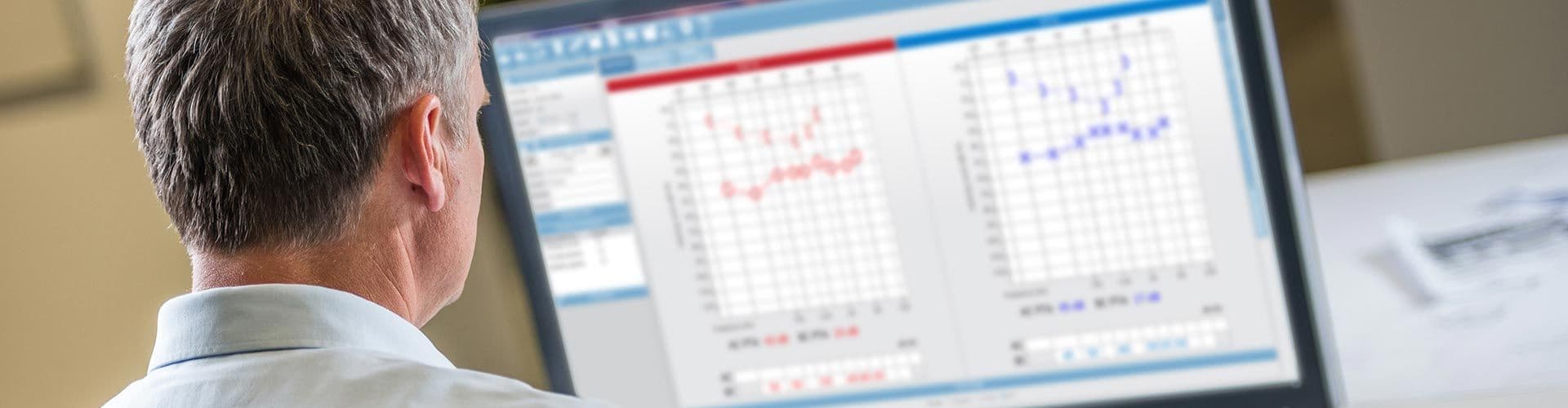
GSI Acuity software provides a familiar testing interface and fast seamless transitions. Use GSI Acuity as a standalone solution or integrate with GSI Suite for comprehensive data management.
AudioSol Console
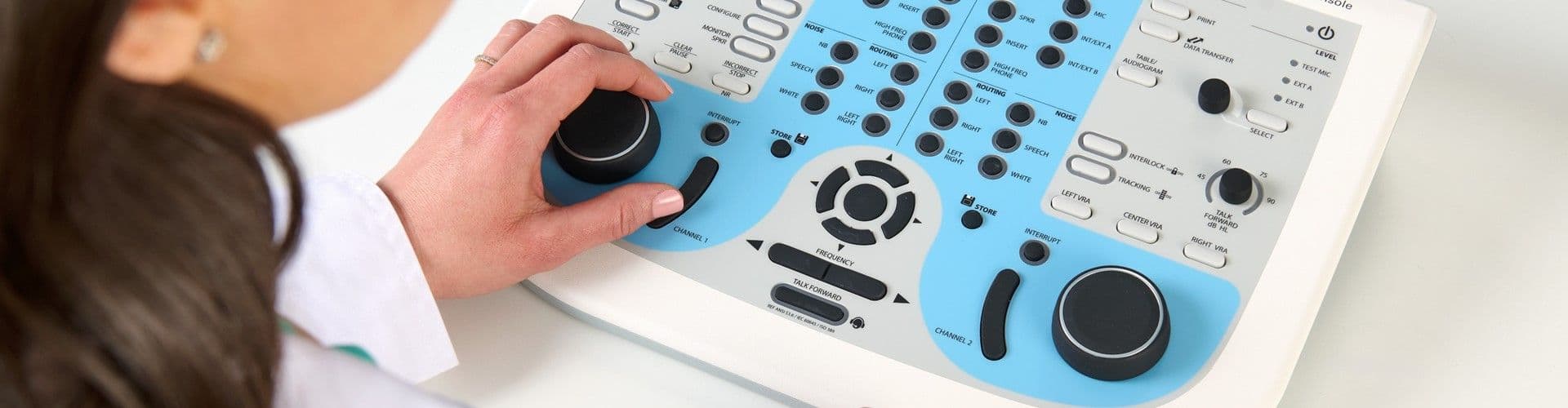
The GSI AudioSol Console is an optional accessory that features frequently-used testing type buttons in a familiar GSI audiometer layout. The one-button testing you normally get with a standalone audiometer can now be utilized with a PC audiometer.
Key Audiometer Features
1. PC-Based Audiometer
The AudioSol provides efficient testing, integration and connectivity which improves daily workflows.
2. Comprehensive Testing Battery
Test patients of all ages for all exam types including pediatric, auditory processing, difficult to test, tinnitus, and cochlear implant evaluations. Independent store buttons for each channel. Variety of special tests include QuickSIN, BKB-SIN, TEN, and ACT.
3. Keyboard Shortcuts
Quickly and efficiently activate test stimuli, store test results, present words, move between test types throughout test session via the PC keyboard. There are additional shortcuts for actions such as activating VRA and talk forward.
4. Pediatric Friendly
Pediatric noise calibrated in dBHL, direct VRA activation for up to 5 reinforcers, pediatric word lists and remote keyboard shortcuts are necessary tools for pediatric audiologists. Quickly navigate between signal types. Includes a pediatric protocol for fast setup.
5. Software Integration
GSI Acuity, the software that drives the AudioSol, can be operated as a stand alone software or opened from within GSI Suite. This flexibility ensures integration with Noah and other business management software programs.
6. GSI AudioSol Console
The GSI AudioSol Console features frequently-used testing type buttons in a familiar GSI audiometer layout. The one-button testing you normally get with a standalone audiometer can now be utilized with a PC audiometer.
PC Audiometry
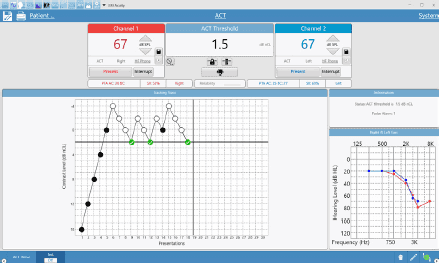
Clinical Testing
Two independent channels provide complete control in testing including air and bone conduction, speech testing, and integrated special tests. Navigate quickly using a mouse and intuitive keyboard shortcuts to move confidently while evaluating patients across all populations.
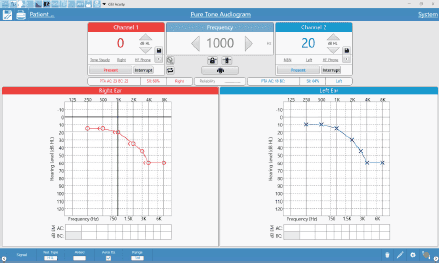
Synchronous Teleaudiology
Expand access to hearing healthcare by enabling real-time, remote testing when a clinician can’t be on site. By using the optional teleaudiology interface, you can take full control of the audiometer from anywhere to perform manual testing with the same precision and confidence as if you were in the room.
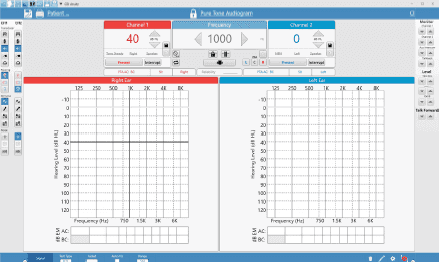
On-Screen Controls
Customizable navigation bar allows you to tailor shortcuts to move easily between test types. Expand side menus to make selections for Channel 1 and 2 including signal, routing, and transducers, and adjust monitor and calibration levels with ease. Show or hide controls based on your preferences so everything you need is right at your fingertips.
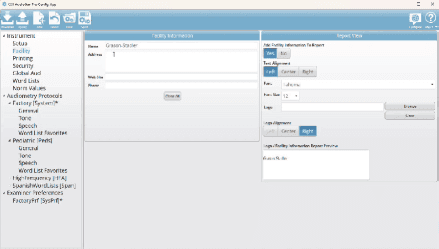
Customizable Protocols
The clinical audiometry config app allows you to create examiner preferences to ensure the software display is meaningful for each clinician and set security protocols for each examiner. Audiometry protocols can be defined by patient population, appointment type, or individual preference to ensure the appropriate testing tools are available when you need them.
EMR Made Easy
Audiometric results are easily transferred from the AudioSol to GSI Suite software where audiometric, tympanometric, and OAE test results may be combined into a single comprehensive report. Counseling overlays such as the speech banana or hearing loss levels assist the clinician with explaining the results to the patient and family members.
Visit the Audiometers Page for a full list of available GSI audiometers.
Next Steps
Learn more by checking out our materials below or clicking the distributor locator button.